15 Best AI Tools for Small Business Automation in 2026

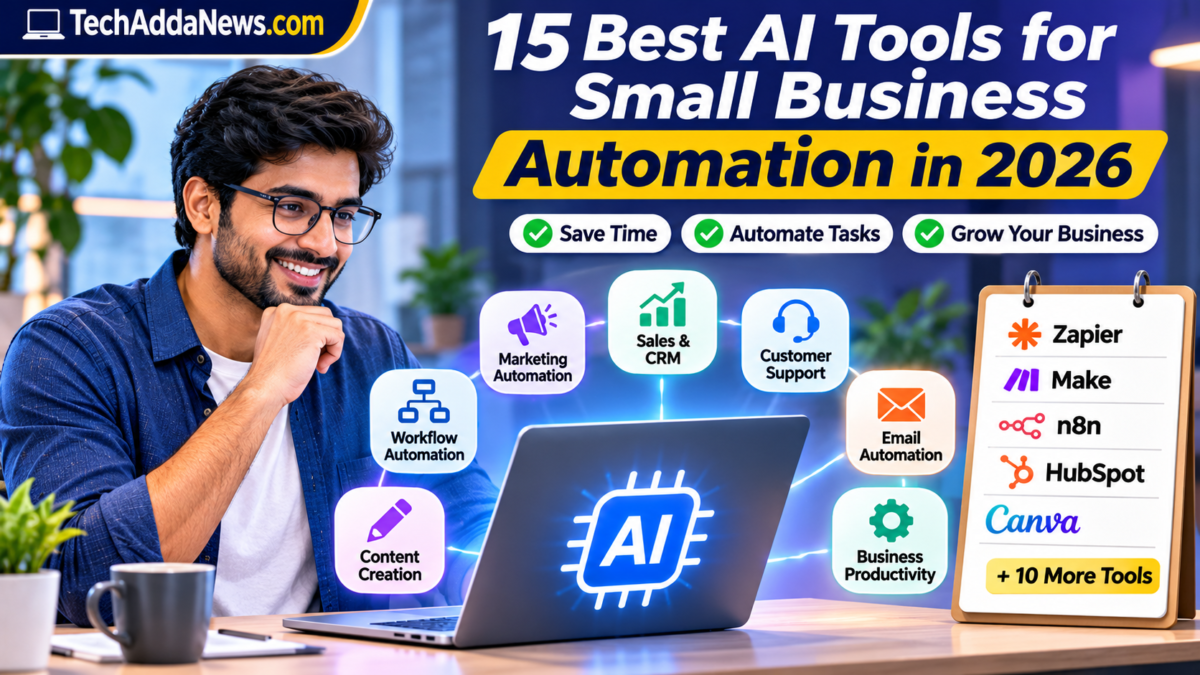
Running a small business means managing multiple responsibilities at the same time. You might be responding to customer enquiries, following up with leads, creating social media posts, preparing invoices, managing emails, and handling daily operations. These repetitive tasks can take up valuable time that could otherwise be spent growing your business.
This is where the best AI tools for small business automation can make a real difference.
Modern AI software helps entrepreneurs automate repetitive workflows, organise business information, generate marketing content, manage customer interactions, and improve productivity without building a large team. Some tools can connect different applications, while others use AI assistants to help with writing, customer support, research, and administrative work.
The good news is that you don’t need an expensive enterprise system to get started. Several platforms offer free plans, affordable subscriptions, or self-hosted options suitable for startups, freelancers, and small businesses.
In this guide, we’ll explore 15 useful AI and automation tools, their main features, pricing considerations, advantages, limitations, and practical business applications.
Quick Answer: What Are the Best AI Tools for Small Business Automation?
The best AI automation tools depend on the type of work you want to automate.
- Zapier: Best for connecting different business applications.
- Make: Best for building visual, multi-step workflows.
- n8n: Best for flexible automation and AI agent workflows.
- Microsoft Power Automate: Best for businesses using Microsoft 365.
- Zoho Flow: Best for businesses using Zoho applications.
- HubSpot: Best for CRM, sales, and customer management.
- Tidio: Best for AI-powered customer support.
- Canva: Best for marketing graphics and content creation.
- Buffer: Best for social media scheduling.
- ChatGPT: Best for AI-assisted business tasks.
- Notion: Best for documentation and project organisation.
- Airtable: Best for managing business data and workflows.
- Brevo: Best for email marketing automation.
- Pabbly Connect: Best for budget-conscious app integrations.
- Lindy: Best for AI-powered administrative assistance.
For beginners, Zapier and Make are good starting points. If you want greater technical flexibility, consider n8n. If customer enquiries and sales follow-ups are your main priorities, explore HubSpot and Tidio.
Table of Contents
- What Is AI Automation for Small Businesses?
- Why Should Small Businesses Use AI Automation?
- 15 Best AI Tools for Small Business Automation
- Comparison of the Best AI Automation Tools
- Best Free AI Automation Tools
- Best AI Tools for Different Business Tasks
- How to Automate a Small Business Using AI
- How to Choose the Right AI Automation Software
- Common AI Automation Mistakes to Avoid
- Frequently Asked Questions
- Final Thoughts
What Is AI Automation for Small Businesses?
AI automation is the use of artificial intelligence and software workflows to complete business activities with less manual effort.
Traditional automation follows predefined instructions. For example, when someone submits a contact form, the system sends an email notification.
AI-powered automation can go further. It may analyse the enquiry, identify its subject, summarise the customer’s requirements, classify the lead, and prepare a suitable response for review.
A simple example:
Imagine you run a small digital marketing agency. A potential customer submits a website enquiry.
Instead of manually handling everything, an automated workflow could:
- Collect the enquiry through your website.
- Add the customer’s details to a CRM.
- Use AI to classify the service requirement.
- Notify the relevant team member.
- Prepare a personalised follow-up email.
- Create a reminder for the sales team.
The business owner still controls important decisions, but repetitive administrative work becomes easier to manage.
Why Should Small Businesses Use AI Automation?
AI automation is not just for large companies. Small businesses can use it to organise everyday operations and make better use of limited resources.
1. Save Time on Repetitive Tasks
Small business owners frequently perform the same activities every day, such as responding to emails, updating spreadsheets, preparing reports, and sending reminders.
Automation can handle many of these repetitive processes.
2. Improve Customer Communication
AI-powered chatbots and customer service tools can answer common questions, provide basic information, and direct complicated enquiries to the appropriate employee.
3. Generate Marketing Content Faster
AI writing and design tools can help prepare blog outlines, social media captions, email campaigns, advertising concepts, and promotional graphics.
Human review remains important to maintain accuracy, brand consistency, and originality.
4. Organise Sales and Lead Management
CRM platforms can automatically record customer enquiries, organise contact information, assign leads, and schedule follow-ups.
This helps reduce the risk of forgetting potential customers.
5. Reduce Manual Data Entry
Workflow automation tools can move information between applications, update spreadsheets, create tasks, and send notifications.
6. Improve Business Productivity
When repetitive work takes less time, business owners and employees can focus more on customer relationships, service quality, planning, and business development.
15 Best AI Tools for Small Business Automation in 2026
1. Zapier – Best Overall AI Automation Tool
Official website: https://zapier.com/
Zapier is one of the most accessible workflow automation platforms for small businesses. It connects different applications and allows users to create automated workflows without writing code.
Its workflows are called Zaps. A Zap typically starts with a trigger and performs one or more actions in connected applications.
For example, when a customer submits a website enquiry, Zapier can add the information to a spreadsheet, create a CRM contact, and notify your sales team.
Key features:
- Connects thousands of business applications.
- Automates repetitive workflows.
- Supports AI-powered steps and automation.
- Provides integrations with CRM, email, forms, and project management tools.
- Offers AI-assisted workflow creation.
- Supports business process automation.
Practical business use cases:
- Send website enquiries to Google Sheets.
- Add new leads to a CRM.
- Notify employees when a new order arrives.
- Create tasks from incoming emails.
- Connect marketing and sales applications.
Pricing: A free plan is available with 100 tasks per month. Paid plans and usage limits vary.
Advantages:
- Beginner-friendly interface.
- Large application integration ecosystem.
- Suitable for businesses without technical teams.
Limitations:
- Task limits can become restrictive as business activity grows.
- Multi-step workflows and premium integrations may require a paid subscription.
- Complex workflows need careful testing.
Best for: Entrepreneurs who want to connect their existing business applications without hiring a developer.
2. Make – Best Visual Workflow Automation Platform
Official website: https://www.make.com/
Make is a visual automation platform that allows businesses to build multi-step workflows using a drag-and-drop interface.
Unlike simple trigger-and-action automation, Make allows users to create more detailed workflows with filters, conditions, routers, and data transformations.
For example, a business could receive website enquiries, classify them by service requirement, send different notifications to separate departments, and update a central database.
Key features:
- Visual workflow builder.
- Multi-step automation.
- Conditional routing.
- Application integrations.
- AI application connections.
- Workflow scheduling.
- Data transformation tools.
Practical business use cases:
- Automate customer enquiry processing.
- Generate marketing reports.
- Move data between applications.
- Organise customer information.
- Create automated content workflows.
Pricing: The free plan includes up to 1,000 credits per month. The Core plan is listed at $12 per month for 10,000 credits, with billing and regional terms to check before subscribing.
Advantages:
- Excellent visual workflow design.
- Supports complex automation.
- Useful for marketing and operational processes.
Limitations:
- Takes time to understand advanced scenarios.
- Each module action can consume credits.
- Complicated workflows need proper testing.
Best for: Small businesses that want greater control over multi-step automation.
3. n8n – Best for Advanced AI Workflow Automation
Official website: https://n8n.io/
n8n is a flexible workflow automation platform designed for users who want more control over their business processes.
It supports integrations, APIs, AI nodes, and custom logic. Businesses can use its cloud service or explore self-hosting options.
For example, an agency can create an automated workflow that receives a lead, checks the submitted information, uses an AI model to categorise the requirement, and creates a task for the appropriate team member.
Key features:
- Visual workflow editor.
- AI and agent workflow capabilities.
- API integrations.
- Custom JavaScript and workflow logic.
- Self-hosting options.
- Data processing and automation.
Practical business use cases:
- Automate lead qualification.
- Build AI-powered customer support workflows.
- Connect WordPress with business applications.
- Generate automated reports.
- Process information from different sources.
Pricing: n8n provides a free self-hosted Community Edition. Its hosted Starter plan is listed at €20 per month when billed annually, with 2,500 workflow executions. Check the official pricing page for current plans.
Advantages:
- Strong customisation options.
- Useful for advanced AI workflows.
- Self-hosting provides greater infrastructure control.
Limitations:
- Requires more technical knowledge than beginner-focused platforms.
- Self-hosting involves maintenance, security, backups, and hosting costs.
- Some integrations require API configuration.
Best for: Technical entrepreneurs, agencies, developers, and businesses that want customised AI automation.
4. Microsoft Power Automate – Best for Microsoft 365 Users
Official website: https://www.microsoft.com/en-in/power-platform/products/power-automate
Microsoft Power Automate helps businesses automate processes across Microsoft applications and supported third-party services.
It can connect tools such as Excel, Outlook, SharePoint, Teams, and other business applications.
For example, when an employee submits an approval request, Power Automate can notify the manager, record the response, and update the relevant document.
Key features:
- Cloud-based workflow automation.
- Desktop automation.
- Microsoft 365 integrations.
- Approval workflows.
- Process automation.
- AI Builder capabilities in eligible plans.
Practical business use cases:
- Automate invoice approval processes.
- Send email notifications.
- Organise documents.
- Update Excel records.
- Create employee approval workflows.
Pricing: Microsoft India lists Power Automate Premium at ₹1,250 per user per month when paid yearly, excluding applicable GST. A 30-day free trial is also available. Confirm licensing requirements before purchasing.
Advantages:
- Strong integration with Microsoft applications.
- Useful for document and approval workflows.
- Suitable for office administration.
Limitations:
- Advanced features may require additional licensing.
- Initial configuration can be complicated.
- Some automation workflows depend on the Microsoft ecosystem.
Best for: Small businesses already using Microsoft 365 applications.
5. Zoho Flow – Best for Businesses Using Zoho Applications
Official website: https://www.zoho.com/flow/
Zoho Flow is a workflow automation platform that connects different business applications.
It is particularly useful for companies already using products from the Zoho ecosystem.
For example, when a new lead is added to a CRM, Zoho Flow can trigger a notification, create a task, and send information to another connected application.
Key features:
- Drag-and-drop workflow builder.
- Application integrations.
- Multi-step workflows.
- Conditional logic.
- Webhook support.
- AI-assisted workflow creation.
- Custom functions.
Practical business use cases:
- Connect Zoho CRM with other applications.
- Automate lead notifications.
- Synchronise business records.
- Create task reminders.
- Automate administrative processes.
Pricing: Zoho Flow has a free edition with up to five flows and 100 tasks per month. Paid plans depend on usage and billing frequency.
Advantages:
- Useful for Zoho customers.
- Supports conditional workflows.
- Offers a free starting option.
Limitations:
- Advanced features may require paid plans.
- The application ecosystem may not suit every business.
- Complex integrations require configuration.
Best for: Small businesses that use Zoho CRM and other Zoho business products.
6. HubSpot – Best for CRM and Sales Automation
Official website: https://www.hubspot.com/
HubSpot is a customer relationship management platform that helps businesses organise leads, contacts, sales activities, and customer interactions.
It is useful for businesses that want to manage customer information in one place instead of maintaining multiple disconnected spreadsheets.
Key features:
- Contact management.
- Sales pipeline tracking.
- Marketing tools.
- Customer service features.
- Email tracking and reporting.
- AI-powered business features.
- Workflow automation in eligible plans.
Practical business use cases:
- Store customer enquiries.
- Track potential customers.
- Organise sales pipelines.
- Monitor customer interactions.
- Manage follow-up activities.
Pricing: HubSpot offers free foundational CRM tools for up to two users. Paid plans vary by product, seats, features, and promotional terms.
Advantages:
- Centralised customer information.
- Useful sales and marketing features.
- Suitable for growing businesses.
Limitations:
- Advanced automation can require higher-tier subscriptions.
- Costs may increase as teams and marketing requirements grow.
- Some advanced features have usage restrictions.
Best for: Small businesses, consultants, and agencies that want to improve lead management and customer relationships.
7. Tidio – Best for AI-Powered Customer Support
Official website: https://www.tidio.com/
Tidio combines live chat, customer support tools, automation, and its Lyro AI customer service agent.
Businesses can use it to answer common website questions, help customers find information, and direct complicated enquiries to human support staff.
For example, an online store can use an AI assistant to answer questions about delivery policies, product information, and return procedures.
Key features:
- Website live chat.
- AI customer support through Lyro.
- Automated conversation workflows.
- Customer communication management.
- Support inbox.
- Help centre integration.
Practical business use cases:
- Answer common customer questions.
- Provide website support.
- Handle basic product enquiries.
- Direct conversations to employees.
- Reduce repetitive support work.
Pricing: Tidio provides a free plan with usage limits. Its current pricing varies by conversation volume and AI features. Paid subscriptions and add-ons are available.
Advantages:
- Easy to add to websites.
- Useful for customer enquiries.
- Combines human support and AI assistance.
Limitations:
- AI conversations and usage may have separate limits.
- Complex customer issues still require human support.
- Higher conversation volumes can increase subscription costs.
Best for: E-commerce websites, service businesses, and companies that receive frequent website enquiries.
8. Canva – Best for AI-Assisted Marketing Content Creation
Official website: https://www.canva.com/
Canva is a visual design platform that helps small businesses create marketing materials without professional graphic design skills.
Its AI features can support content creation, image editing, presentations, and advertising design.
Canva is not a complete business workflow automation platform, but it can reduce the manual effort involved in producing regular marketing content.
Key features:
- AI-assisted design tools.
- Social media templates.
- Presentation creation.
- Image editing.
- Brand kits.
- Marketing graphics.
- Content scheduling on eligible plans.
Practical business use cases:
- Create Instagram posts.
- Design promotional banners.
- Prepare presentations.
- Produce advertising creatives.
- Maintain consistent branding.
Pricing: Canva offers a free plan with limited AI access. Canva Pro is listed in India at ₹4,000 per year for an individual on its annual pricing page. Check current regional offers and plan availability.
Advantages:
- Beginner-friendly design interface.
- Large template library.
- Useful for marketing teams and entrepreneurs.
Limitations:
- Advanced AI usage may have limits.
- Human design review is still necessary.
- Not intended to replace dedicated workflow automation platforms.
Best for: Small businesses that regularly create social media posts, promotional graphics, and marketing materials.
9. Buffer – Best for Social Media Scheduling
Official website: https://buffer.com/
Buffer helps businesses plan, schedule, and publish social media content across supported platforms.
For small businesses that publish regularly, scheduling content in advance can make social media management easier.
Its AI Assistant can help generate ideas, improve captions, and adapt content for different social networks.
Key features:
- Social media scheduling.
- Content calendar.
- AI writing assistance.
- Social media analytics.
- Multi-channel publishing.
- Content organisation.
Practical business use cases:
- Schedule Facebook posts.
- Plan Instagram content.
- Organise LinkedIn updates.
- Prepare social media calendars.
- Review content performance.
Pricing: Buffer offers a free plan for up to three channels, with ten scheduled posts per channel. Its Essentials plan starts at $5 per month per channel when billed annually.
Advantages:
- Easy content scheduling.
- Useful for small marketing teams.
- AI writing assistance.
Limitations:
- Publishing capabilities vary by social platform.
- Advanced reporting requires paid features.
- It does not replace a complete AI workflow platform.
Best for: Freelancers, small marketing agencies, and businesses that publish content regularly.
10. ChatGPT – Best for AI-Assisted Business Productivity
Official website: https://chatgpt.com/
ChatGPT is an AI assistant that can help business owners with writing, research, brainstorming, data analysis, customer communication drafts, and planning.
It can support many everyday business tasks, although using ChatGPT alone does not automatically create an end-to-end workflow across external applications. Integrations and automation platforms can extend its capabilities.
Key features:
- Business writing assistance.
- Research and brainstorming.
- Content planning.
- Spreadsheet and data analysis.
- Email drafting.
- Document summarisation.
- Support for connected tools and workflows where available.
Practical business use cases:
- Prepare customer email drafts.
- Generate blog outlines.
- Create marketing campaign ideas.
- Analyse business spreadsheets.
- Prepare meeting summaries.
- Develop standard operating procedures.
Pricing: Free access is available, with paid plans offering different capabilities, limits, and features. Check the official website for current regional pricing.
Advantages:
- Flexible across different business activities.
- Useful for content and administrative work.
- Easy to use through natural language instructions.
Limitations:
- AI-generated information needs verification.
- External actions require supported integrations or workflows.
- It should not independently approve financial, legal, or other sensitive business decisions.
Best for: Entrepreneurs who want an AI assistant for everyday business productivity.
11. Notion – Best for Business Documentation and Project Organisation
Official website: https://www.notion.com/
Notion is a workspace platform that helps teams organise documents, tasks, projects, meeting notes, and internal knowledge.
Its AI capabilities can assist with summarisation, writing, searching workspace information, and other productivity activities depending on the plan.
Key features:
- Project management.
- Team documentation.
- Knowledge management.
- AI-assisted writing.
- Meeting notes and summaries.
- Databases and task organisation.
Practical business use cases:
- Create company documentation.
- Organise project tasks.
- Maintain employee instructions.
- Prepare meeting summaries.
- Manage editorial calendars.
Pricing: A free plan is available. AI capabilities and usage depend on the selected subscription and current plan conditions.
Advantages:
- Flexible workspace.
- Useful for team collaboration.
- Combines documents and project organisation.
Limitations:
- Requires initial workspace organisation.
- Advanced AI features may require additional payment.
- Not a replacement for specialised CRM or accounting systems.
Best for: Startups and small teams that need an organised workspace for projects and business knowledge.
12. Airtable – Best for Business Databases and Workflow Management
Official website: https://www.airtable.com/
Airtable combines spreadsheet-style data management with database functionality and workflow automation.
It is useful for businesses that manage projects, customers, marketing campaigns, content calendars, inventory, and operational information.
Key features:
- Custom business databases.
- Workflow automation.
- Forms and data collection.
- Project management.
- AI-assisted data workflows.
- Reporting and collaboration.
Practical business use cases:
- Manage customer records.
- Create content calendars.
- Track sales enquiries.
- Organise inventory.
- Automate task assignments.
Pricing: A free plan is available, with paid plans offering higher limits and additional features.
Advantages:
- Flexible data organisation.
- Useful for custom business workflows.
- Supports collaboration.
Limitations:
- Advanced database structures require learning.
- Automation usage can have plan limits.
- Larger teams may need paid subscriptions.
Best for: Businesses that manage multiple projects and structured data in spreadsheets.
13. Brevo – Best for Email Marketing Automation
Official website: https://www.brevo.com/
Brevo is a customer engagement platform that provides email marketing, marketing automation, and customer communication tools.
Small businesses can use it to communicate with subscribers, manage campaigns, and build automated email sequences.
Key features:
- Email campaign creation.
- Marketing automation.
- Contact management.
- Email templates.
- Campaign reporting.
- Customer communication tools.
Practical business use cases:
- Send welcome emails.
- Create customer follow-up sequences.
- Send newsletters.
- Manage subscriber lists.
- Send promotional campaigns.
Pricing: Brevo offers a free plan and paid options. Pricing depends on email volume, features, and subscription requirements.
Advantages:
- Useful email marketing features.
- Helps organise customer communication.
- Suitable for businesses building an email list.
Limitations:
- Email deliverability depends on list quality and sending practices.
- Advanced automation features may require paid plans.
- Marketing consent and unsubscribe requirements must be followed.
Best for: Small businesses that depend on email marketing and customer follow-ups.
14. Pabbly Connect – Best Budget-Conscious Workflow Automation Alternative
Official website: https://www.pabbly.com/connect/
Pabbly Connect allows businesses to connect different applications and automate repetitive processes.
It can help entrepreneurs transfer information between applications without manually copying data.
Key features:
- Application integrations.
- Multi-step workflows.
- Conditional automation.
- Webhook support.
- Data transfer between applications.
- Workflow scheduling.
Practical business use cases:
- Send form enquiries to spreadsheets.
- Create CRM records automatically.
- Connect payment notifications with business applications.
- Automate customer notifications.
- Synchronise business information.
Pricing: Pabbly offers free and paid options. Pricing, task allowances, lifetime offers, and feature limits should be checked on the official pricing page before purchasing.
Advantages:
- Useful for connecting business applications.
- Can reduce repetitive data entry.
- Suitable for businesses comparing automation platforms.
Limitations:
- Application support should be checked before building workflows.
- Advanced automation needs testing.
- Plan limits and conditions require careful review.
Best for: Entrepreneurs looking for another option for connecting business applications.
15. Lindy – Best for AI-Powered Administrative Tasks
Official website: https://www.lindy.ai/
Lindy is an AI agent platform designed to assist with business activities such as email management, meeting preparation, scheduling, and follow-ups.
It can be useful when you want an AI assistant to work with supported business applications rather than manually moving information between them.
Key features:
- AI agents.
- Email assistance.
- Meeting and calendar workflows.
- Task automation.
- Application integrations.
- Business process assistance.
Practical business use cases:
- Prepare email responses.
- Organise meeting information.
- Create follow-up tasks.
- Assist with scheduling.
- Automate selected administrative workflows.
Pricing: Free usage or trial availability and paid subscription limits should be checked on the official website.
Advantages:
- Designed around AI-assisted tasks.
- Useful for administrative productivity.
- Can connect supported business applications.
Limitations:
- AI agents need clear instructions and permissions.
- Usage limits can affect costs.
- Important actions should be reviewed by a person.
Best for: Founders and small business owners who spend considerable time on emails, meetings, and administrative work.
Comparison of the 15 Best AI Automation Tools
The following table summarises what each platform does. These products are not all direct competitors: some automate workflows, while others improve specific business functions.
| Tool | Main Purpose | Free Option | Best For |
|---|---|---|---|
| Zapier | App automation | Yes | Connecting applications |
| Make | Visual automation | Yes | Multi-step workflows |
| n8n | Advanced automation | Yes, self-hosted | Technical workflows |
| Power Automate | Business processes | Free trial | Microsoft users |
| Zoho Flow | App integration | Yes | Zoho users |
| HubSpot | CRM and sales | Yes | Lead management |
| Tidio | Customer support | Yes | Website chat |
| Canva | Design and marketing | Yes | Content creation |
| Buffer | Social scheduling | Yes | Social media |
| ChatGPT | AI assistant | Yes | Business productivity |
| Notion | Workspace management | Yes | Projects and documents |
| Airtable | Database and workflows | Yes | Business records |
| Brevo | Email marketing | Yes | Email campaigns |
| Pabbly Connect | App automation | Yes | Budget workflows |
| Lindy | AI agents | Check current offer | Administrative tasks |
Best Free AI Automation Tools for Small Businesses
If you are starting a business or working with a limited budget, you don’t need to purchase several subscriptions immediately.
Consider these options:
1. Zapier Free
Useful for creating basic workflows and connecting applications. The free plan includes 100 tasks per month and two-step Zaps.
2. Make Free
Useful for building visual automation workflows. The free plan includes 1,000 credits per month.
3. n8n Community Edition
Useful for businesses with technical resources that want to self-host automation workflows.
4. Zoho Flow Free
Useful for basic integrations. The free edition supports up to five flows and 100 tasks per month.
5. HubSpot Free CRM
Useful for managing contacts and basic sales activities without immediately paying for advanced CRM features.
6. Canva Free
Useful for creating marketing graphics and accessing limited AI design capabilities.
7. Buffer Free
Useful for scheduling social media content across up to three channels, with ten scheduled posts per channel.
8. ChatGPT Free
Useful for brainstorming, writing assistance, research support, and business productivity.
Remember that a free plan does not necessarily include every feature. Check monthly usage limits, integration restrictions, and AI credits before building an important business process.
Best AI Tools for Different Business Tasks
Choosing a tool by business requirement is often more effective than choosing software simply because it is popular.
| Business Requirement | Recommended Tools |
|---|---|
| Lead generation | HubSpot, Zapier, Make |
| Customer support | Tidio, ChatGPT |
| Email marketing | Brevo, HubSpot |
| Social media management | Buffer, Canva |
| Graphic design | Canva |
| Business workflow automation | Zapier, Make, n8n |
| Microsoft office automation | Power Automate |
| Zoho application automation | Zoho Flow |
| Project management | Notion, Airtable |
| Administrative assistance | Lindy, ChatGPT |
| Data management | Airtable, Notion |
How to Automate a Small Business Using AI: Practical Examples
Let’s look at a few workflows that small business owners can implement.
Example 1: Automate Website Enquiries
Business requirement: Receive customer enquiries and organise them automatically.
Suggested workflow:
- Customer submits a website contact form.
- Zapier or Make receives the enquiry.
- Customer details are added to a CRM or Google Sheet.
- An AI tool categorises the enquiry.
- The business owner receives a notification.
- A follow-up task is created.
This can reduce manual data entry and help ensure enquiries are recorded.
Example 2: Automate Social Media Content Planning
Business requirement: Publish content consistently across social media platforms.
Suggested workflow:
- Prepare monthly content topics.
- Use ChatGPT to create initial content drafts.
- Review and edit the content.
- Create graphics using Canva.
- Schedule approved posts using Buffer.
- Review engagement and performance reports.
This workflow combines AI assistance with human content review and scheduling.
Example 3: Automate Customer Support
Business requirement: Respond to frequently asked website questions.
Suggested workflow:
- Add accurate FAQs to a customer support knowledge base.
- Configure Tidio’s AI customer support functionality.
- Allow the AI assistant to answer supported questions.
- Route complex enquiries to a human employee.
- Review unanswered questions and improve the knowledge base.
Always test responses before allowing an AI assistant to handle customer interactions independently.
Example 4: Automate Email Marketing
Business requirement: Follow up with customers after they subscribe.
Suggested workflow:
- Customer subscribes to a newsletter.
- Their details are added to the email marketing platform.
- A welcome email is sent.
- The customer receives relevant follow-up emails.
- Campaign performance is reviewed.
Brevo and HubSpot can help manage these activities, depending on the features available in your plan.
Example 5: Automate Business Reporting
Business requirement: Reduce manual preparation of weekly reports.
Suggested workflow:
- Collect business information from supported applications.
- Store the data in a spreadsheet or database.
- Use Make, Zapier, or n8n to organise the information.
- Use an AI assistant to summarise key observations.
- Review the results before sharing the report.
Never treat AI-generated financial or operational summaries as verified accounting records without checking the source data.
How to Choose the Right AI Automation Software
Before purchasing any subscription, consider these important factors.
1. Identify Your Biggest Repetitive Task
Start by identifying the task that consumes the most time.
Examples include:
- Responding to customer enquiries.
- Sending follow-up emails.
- Preparing social media posts.
- Updating spreadsheets.
- Creating business reports.
- Managing appointments.
Choose software that solves a specific problem rather than purchasing multiple tools without a clear requirement.
2. Check Application Integrations
Make sure the automation platform supports the applications you already use.
For example, if your business depends on WordPress, Google Sheets, Gmail, and a CRM, verify that the selected platform can connect those applications.
3. Compare Free and Paid Plans
Look beyond the advertised subscription price.
Check:
- Monthly tasks or credits.
- Number of connected applications.
- AI usage limits.
- Number of users.
- Automation frequency.
- Premium integration restrictions.
- Additional usage charges.
4. Consider Ease of Use
If you don’t have a technical team, start with platforms such as Zapier or Make.
Advanced tools like n8n can provide more flexibility, but they may require technical support.
5. Review Data Security
Before connecting business applications, understand how the platform stores and processes information.
Avoid giving unnecessary access to financial records, customer information, passwords, or sensitive business documents.
6. Measure the Actual Business Benefit
Track whether automation reduces manual work, improves response times, or helps employees manage more tasks.
The best tool is not necessarily the one with the most AI features. It is the one that provides measurable value for your business.
Common AI Automation Mistakes Small Businesses Should Avoid
1. Automating Everything at Once
Start with one or two repetitive processes. Test them before expanding automation across the business.
2. Ignoring Subscription Costs
A free plan may have limited tasks or AI credits. Calculate the expected monthly usage before upgrading.
3. Trusting Every AI-Generated Response
AI can produce incorrect information. Review important customer messages, marketing claims, and business documents.
4. Connecting Too Many Applications
Every additional integration creates another point that may need maintenance. Keep your workflows simple and relevant.
5. Ignoring Data Privacy
Use appropriate permissions and avoid sending confidential information to tools without understanding their data handling policies.
6. Forgetting Human Oversight
AI should support employees rather than automatically make every important decision.
Keep human approval for payments, contracts, refunds, sensitive customer issues, and other high-impact actions.
Frequently Asked Questions
1. What are the best AI tools for small business automation?
Some useful options include Zapier, Make, n8n, Microsoft Power Automate, Zoho Flow, HubSpot, and Tidio. The best choice depends on whether you want to automate app integrations, customer communication, sales, or administrative work.
2. Are there free AI automation tools for small businesses?
Yes. Zapier, Make, Zoho Flow, HubSpot, Canva, Buffer, and ChatGPT offer free access or free plans with limitations. n8n also provides a self-hosted Community Edition.
3. Which AI automation tool is best for beginners?
Zapier is a good starting point for beginners because of its straightforward trigger-and-action workflows. Make is another option if you prefer a visual workflow builder.
4. Can AI automate a small business without coding?
Yes. Several no-code platforms allow users to create workflows through visual interfaces. Zapier, Make, and Zoho Flow are examples. More advanced custom integrations may still require technical knowledge.
5. What is the most affordable AI automation software?
The most affordable option depends on the number of workflows, tasks, users, and AI credits required. Free plans from Make, Zapier, and Zoho Flow are useful starting points. Self-hosted n8n may also be suitable for businesses with technical resources.
6. Can AI tools help generate business leads?
Yes. AI-assisted CRM and workflow tools can help collect enquiries, organise customer information, classify leads, and prepare follow-up activities. HubSpot, Zapier, and Make are useful options to explore.
7. Can small businesses automate social media marketing using AI?
Yes. ChatGPT can help draft content, Canva can help create graphics, and Buffer can schedule approved posts. Together, these tools can simplify social media planning and publishing.
8. Is AI automation suitable for startups?
Yes. Startups can use automation to manage customer enquiries, organise leads, create marketing content, and reduce repetitive administrative work. Start with affordable plans and expand as the business grows.
9. Do AI automation tools replace employees?
AI automation can reduce repetitive work, but it does not replace the need for human judgement, customer relationships, creative thinking, and business decision-making. Most small businesses benefit from combining automation with human supervision.
10. How much does AI automation cost for a small business?
Costs vary considerably. Some tools offer free plans, while paid subscriptions may charge per user, task, credit, workflow execution, or customer conversation. Additional costs may include AI API usage, hosting, and integrations. Calculate the complete cost before selecting a platform.
Final Thoughts
AI automation is becoming an important part of how small businesses manage everyday operations. From customer communication and marketing to sales management and administrative tasks, the right software can reduce repetitive work and help business owners focus on growth.
If you are just starting, you don’t need all 15 tools. Begin with a simple combination:
- ChatGPT for AI-assisted writing and business tasks.
- Make or Zapier for connecting applications.
- HubSpot for managing customer enquiries.
- Canva for marketing graphics.
- Buffer for social media scheduling.
As your business grows, you can explore advanced options such as n8n, Power Automate, and Lindy.
The most important thing is to identify your business’s biggest time-consuming tasks, choose an appropriate tool, and measure the results.
Start small, automate carefully, and build a workflow that genuinely helps your business.
Found this guide useful? Share it with other entrepreneurs and small business owners. Explore more practical AI, technology, and productivity guides on Tech Adda News.
