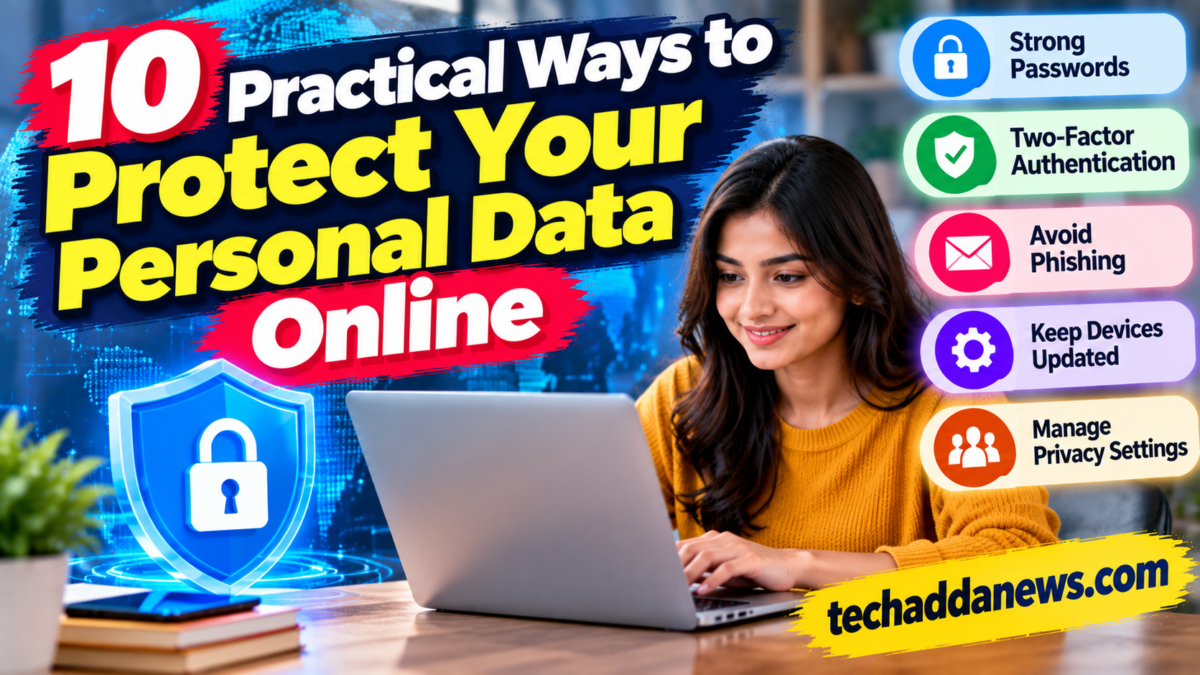
10 Practical Ways to Protect Your Personal Data Online

People share personal information online every day when they shop, use social media, communicate, access financial services, and sign up for digital accounts. While these services are convenient, careless sharing and weak security practices can expose information to scams, account theft, and unwanted tracking.
Protecting your personal data does not require advanced technical knowledge. A few consistent habits can significantly improve your online security.
Here are ten practical ways to protect your information.
1. Use Strong, Unique Passwords
Avoid using the same password across multiple accounts. If one service suffers a data breach, reused passwords can put other accounts at risk.
Use long, unique passwords or passphrases. A reputable password manager can help create and store them securely.
Do not share passwords through messages or store them in easily accessible, unprotected notes.
2. Enable Multifactor Authentication
Multifactor authentication adds another verification step beyond your password. Depending on the service, this may involve an authenticator app, a security key, or another supported method.
Enable it first on your email, financial accounts, social media, and other important services. Email security is especially important because email accounts are often used to reset other passwords.
3. Recognize Phishing Messages
Phishing attempts try to trick people into revealing information, clicking unsafe links, or making payments.
Be cautious of messages that create urgency, threaten account suspension, promise unexpected rewards, or request confidential details. Check the sender and visit the official website or app directly rather than relying on a suspicious link.
Remember that scammers can imitate familiar organizations and use convincing language.
4. Keep Your Devices and Apps Updated
Software updates often include security fixes. Delaying them can leave known weaknesses unaddressed.
Turn on automatic updates where appropriate for your operating system, browser, apps, and security software. Remove applications you no longer use, especially if they have access to personal information.
Only download software from official or trusted sources.
5. Review App Permissions
Some apps request access to your camera, microphone, contacts, location, photos, or files. Not every permission is necessary for an app’s main purpose.
Review permissions in your device settings and remove access that is not needed. If an app requests sensitive permissions without a clear reason, consider whether you need to use it.
6. Be Careful With Public Wi-Fi
Public Wi-Fi can be convenient, but users should not assume every network is trustworthy.
Confirm the correct network name, avoid installing unknown certificates or profiles, and use websites and apps with secure connections. For sensitive activities, use a trusted network or a reputable VPN when appropriate.
A VPN does not make every activity anonymous or protect you from phishing, malware, or unsafe websites.
7. Limit What You Share on Social Media
Personal details can help scammers make convincing messages or attempt account recovery.
Avoid publicly sharing sensitive information such as your home address, travel plans while you are away, financial details, identity documents, or answers to common security questions.
Review who can see your posts, profile details, photographs, and contact information.
8. Shop and Pay Through Trusted Services
Before entering payment information, check that you are using the intended website or official app. Look for misspelled domains, unusual payment requests, suspicious discounts, and unclear refund policies.
Never share a one-time password or verification code with someone who contacts you unexpectedly. Review the recipient and amount carefully before approving a payment.
9. Back Up Important Data
Backups can help you recover from device failure, accidental deletion, ransomware, or loss of access.
Keep important files in a trusted backup location and periodically confirm that they can be restored. For especially sensitive files, consider encryption and secure access controls.
A backup is most useful when it is kept separate from the device it is intended to protect.
10. Check Privacy Settings and Account Activity
Review the privacy and security settings of your email, social media, shopping, and financial accounts.
Look for unfamiliar login sessions, connected apps you no longer use, and changes you did not make. Sign out of unknown sessions, revoke unnecessary third-party access, and change compromised passwords through the official service.
Where available, enable login alerts and transaction notifications.
What Should You Do If Your Personal Data Is Exposed?
If you suspect an account has been compromised:
- Use the official website or app to secure the account.
- Change the affected password and any reused passwords.
- End unfamiliar sessions and revoke suspicious app access.
- Contact your bank or payment provider immediately if financial information may be involved.
- Preserve relevant messages and transaction records.
- Report the incident through the appropriate official channels.
Act quickly, but do not trust unsolicited callers or messages claiming they can recover stolen money for a fee.
Conclusion
Protecting personal data online starts with everyday habits: unique passwords, multifactor authentication, software updates, careful sharing, secure payments, and regular account checks.
No single tool can eliminate every risk. Combining these practices and staying alert to suspicious activity can help reduce exposure and make your digital life safer.
Security note: Menu names and available protections differ by device and service. Use official support pages for account-specific recovery instructions.